SipLogger: Turning BAC Estimation into a Readable System
A privacy-first BAC calculator that turns drink tracking into a real-time visual system, helping users understand patterns, not just counts.
Not every useful app is built around doing more. Sometimes a better idea is to turn complicated processes into a simple feature. That is what makes SipLogger interesting.
SipLogger positions itself as a free, privacy-first Blood Alcohol Concentration (BAC) calculator and drink tracker for iOS. Rather than flattening a night out into a static drink count, it visualizes how estimated blood alcohol content changes over time. The product is ad- and subscription-free, and requires no account – deliberately removing friction and data exposure. The measurements are explicitly educational and imprecise, and the calculation engine combines the Watson Total Body Water method with the Widmark formula, personalized by user profile.
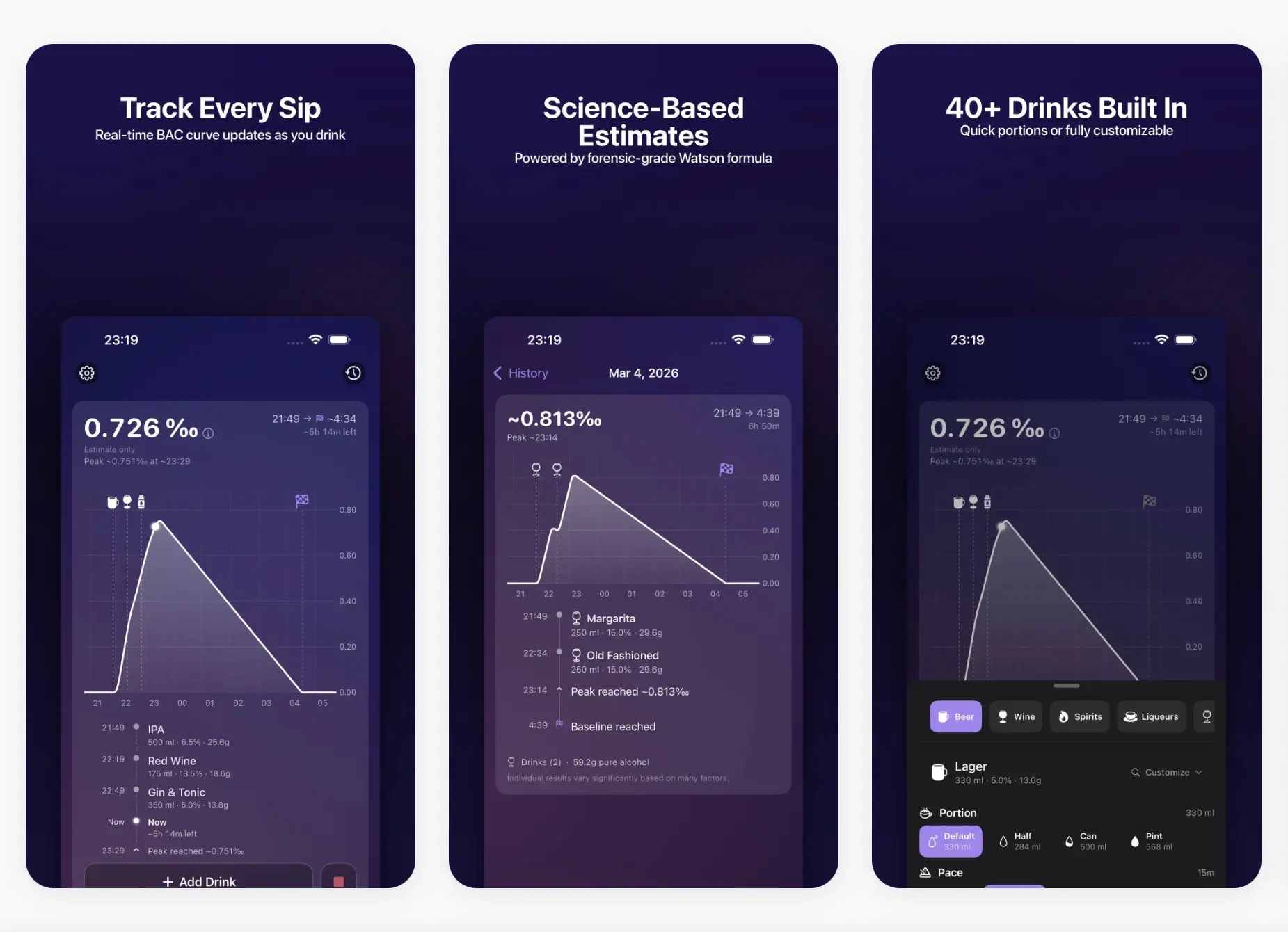
The real differentiator is not the formula, but the interface. SipLogger transforms BAC estimation into a visual system – a curve, a timeline, a session you can track. This reframes the experience: users see how pace and timing drive the estimate, not just the drink count. The product is explicit about its boundaries: it is not a breathalyzer, results carry a ±20% variance, and it is never a tool for safety-critical decisions.
What makes the product interesting
SipLogger’s core value is making an invisible process legible. Each drink is timestamped, and the app models the session as it unfolds, not as a static sum. This shifts the user experience from passive logging to active pattern recognition. Features like 40-plus built-in drink templates, custom entries, session history, and projected baseline reinforce this timeline-driven approach.
This is the same systems thinking that made SnapNutrition’s AI flow sticky: it’s not just a feature, but the entire process that becomes easier to repeat. For SipLogger, the formula is foundational, but the real impact comes from integrating logging, timing, visualization, and review into a coherent, readable system.
The product architecture is disciplined. HealthKit integration pulls profile data, Live Activities surface the session on Lock Screen and Dynamic Island, and all data remains local. No backend, no accounts, no data collection – an intentional fit for the conscious user.
How the flow works
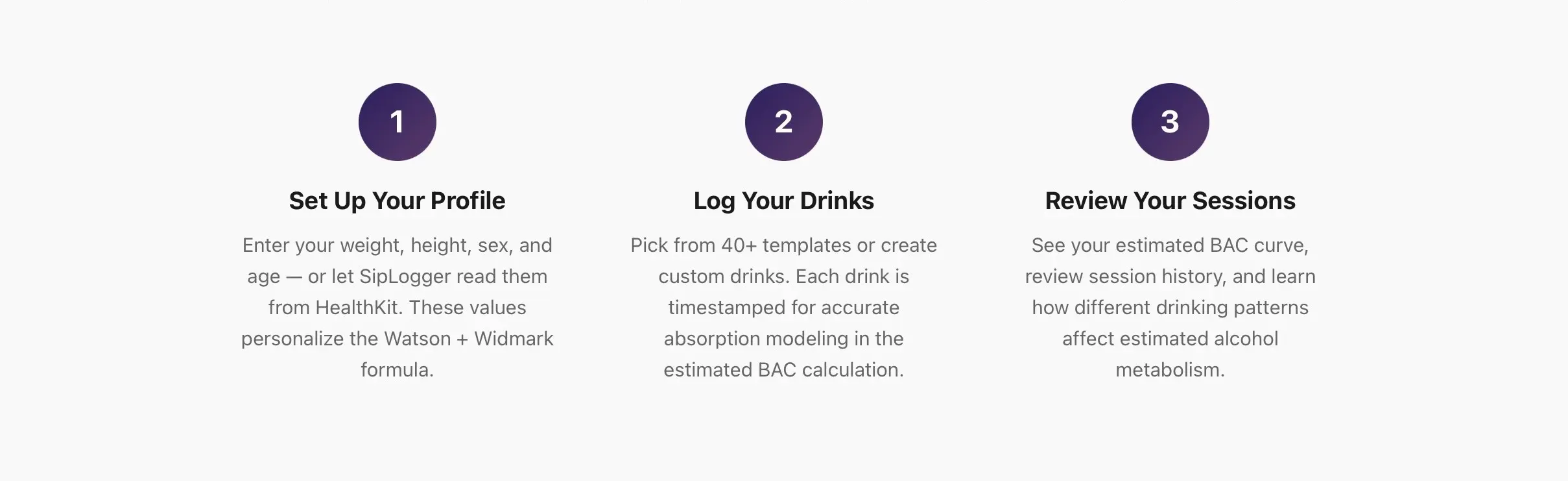
1. Set up your profile
The flow starts with profile inputs – weight, height, sex, age – entered manually or imported from HealthKit. These parameters drive personalized estimation.
2. Log drinks over time
Users log drinks from the built-in library or create custom entries. Each is timestamped, enabling the app to model the evolving estimate across the session instead of flattening the data.
3. Read the session as a pattern
Once drinks are logged, the session becomes easier to read: BAC curve, session history, peak estimate, and projected return to baseline. The goal is not certainty, but a clearer view of the overall pattern.
SipLogger stays focused on one thing: making estimated BAC easier to follow over time. That clarity is a big part of what makes the product work.
While the app is positioned as an educational tool rather than a clinical one, it still reflects the kind of product thinking that matters in healthtech too: clear interfaces, careful handling of personal data, and transparent boundaries around what a product can and cannot claim. That same attention to usability and trust shows up in Unibrix’s work on a HIPAA-compliant healthcare platform, where our team replaced manual workflows with a scalable digital system designed for home-care providers. If you are exploring a healthtech idea and want to shape it into a product people can actually use, this case is a good next read.

Moombix

Kennitalan

Wooskill
technical assessment,
and project scoping.
UI/UX design, and
technical specifications.
reviews, and continuous
integration.
testing, security audits,
and bug fixes.
documentation, and
ongoing support.